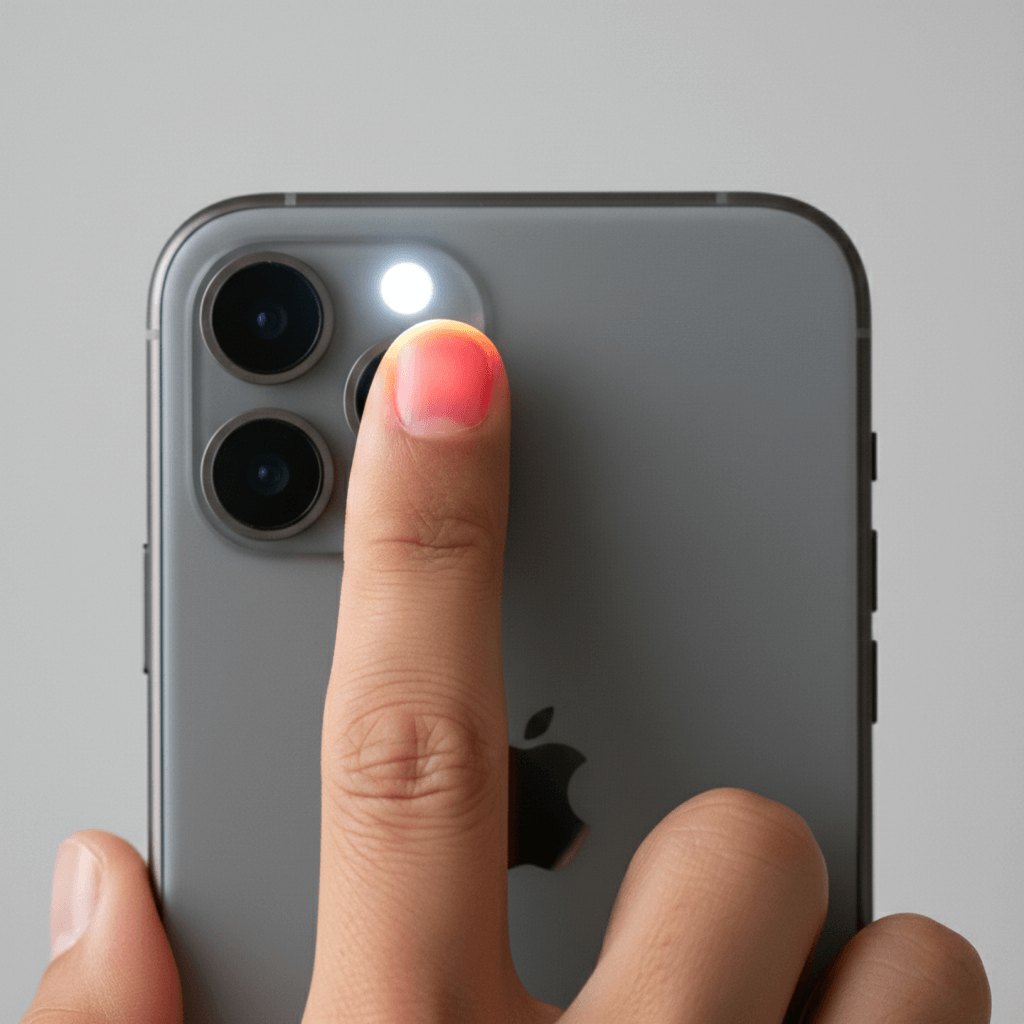

Key Takeaways
- iPhone cannot measure blood pressure directly – no smartphone camera can accurately measure BP
- You can track blood pressure on iPhone by logging readings from a separate monitor using apps like Pul AI
- Normal blood pressure: Less than 120/80 mmHg
- Best practice: Measure with a validated BP monitor, then log readings in Pul AI to track trends over time
- Why track: Consistent logging helps you and your doctor identify patterns and manage hypertension effectively
Can You Check Blood Pressure on iPhone?
Here’s the truth: Your iPhone cannot measure blood pressure directly. Unlike heart rate, which can be estimated through camera-based photoplethysmography, blood pressure requires measuring the force of blood against artery walls – something no smartphone camera can do accurately.
However, you absolutely can track blood pressure on iPhone by:
- Taking readings with a separate blood pressure monitor (cuff-based)
- Logging those readings in a health app like Pul AI
- Monitoring trends over days, weeks, and months
This approach is actually recommended by the American Heart Association, which emphasizes the importance of home blood pressure monitoring and keeping a log of your readings.
Show Image Alt text: How to track blood pressure on iPhone using Pul AI app interface
Warning: Be skeptical of any app claiming to measure blood pressure using only your iPhone camera or finger. These apps are not FDA-approved and can give dangerously inaccurate readings. Always use a validated blood pressure monitor.
How to Track Blood Pressure on iPhone Using Pul AI
Pul AI makes it simple to track blood pressure on iPhone by providing an intuitive logging system that stores all your readings in one place. Here’s how to get started:
Step-by-Step Guide to Track Blood Pressure on iPhone
Step 1: Get a Blood Pressure Monitor Purchase a validated upper-arm blood pressure monitor. We recommend monitors validated by the STRIDE BP organization or listed on the AHA’s recommended devices.
Step 2: Download Pul AI Get Pul AI free from the App Store.
Step 3: Take Your Blood Pressure Reading Follow proper technique (covered below) to measure your blood pressure with your cuff monitor.
Step 4: Log Your Reading in Pul AI Open Pul AI, navigate to blood pressure tracking, and enter:
- Systolic pressure (top number)
- Diastolic pressure (bottom number)
- Date and time of measurement
Step 5: Track Your Trends View your blood pressure history in charts and graphs. Share this data with your healthcare provider during appointments.
Pro Tip: Set a daily reminder in Pul AI to measure your blood pressure at the same time each day. Consistency is key for accurate trend tracking.
→ Related: How to Check Heart Rate on iPhone
Why Pul AI Is the Best App to Track Blood Pressure on iPhone
When you want to check blood pressure with your iPhone, you need an app that makes logging fast and provides meaningful insights. Here’s why Pul AI stands out:
Quick Manual Entry
Unlike complicated health apps, Pul AI lets you log blood pressure readings in seconds. Just enter your systolic and diastolic numbers – done.
Comprehensive Health Dashboard
Pul AI isn’t just for blood pressure. Track multiple vital signs in one app:
- Blood pressure (manual logging)
- Heart rate (camera-based measurement)
- Blood oxygen / SpO2 (manual logging)
- Blood sugar (manual logging)
This gives you a complete picture of your cardiovascular health in one place.
Visual Trend Analysis
See your blood pressure patterns over time with easy-to-read charts. Spot trends like:
- Morning vs. evening variations
- Weekly patterns
- Long-term improvements from lifestyle changes
Shareable Health Reports
Export your blood pressure history to share with your doctor. According to the Mayo Clinic, bringing a log of home readings to appointments helps physicians make better treatment decisions.
Free to Use
Pul AI offers blood pressure tracking at no cost. No subscription required for basic tracking features.
→ Related: Complete Guide to Using Pul AI
How to Take Accurate Blood Pressure Readings
Before you can track blood pressure on iPhone, you need accurate readings. Follow these guidelines from the American Heart Association:
30 Minutes Before Measuring
- Avoid caffeine, exercise, and smoking – all temporarily raise blood pressure
- Empty your bladder – a full bladder can increase readings by 10-15 mmHg
- Sit quietly for 5 minutes – rest before measuring
During Measurement
- Sit correctly: Back supported, feet flat on floor, legs uncrossed
- Position your arm: Supported on a flat surface at heart level
- Use proper cuff size: Cuff should fit snugly around your upper arm
- Don’t talk: Speaking can raise your reading
- Take 2-3 readings: Wait 1 minute between readings and average them
For Consistent Tracking
- Measure at the same times daily – morning and evening are ideal
- Use the same arm – readings can differ between arms
- Log immediately – enter readings in Pul AI right after measuring
- Note any factors – record if you were stressed, took medication, etc.
Understanding Your Blood Pressure Numbers
When you track blood pressure on iPhone, understanding what the numbers mean helps you take action:
Blood Pressure Categories
| Category | Systolic (mmHg) | Diastolic (mmHg) | What It Means |
|---|---|---|---|
| Normal | Less than 120 | Less than 80 | Healthy – maintain with lifestyle |
| Elevated | 120-129 | Less than 80 | At risk – lifestyle changes recommended |
| High BP Stage 1 | 130-139 | 80-89 | Hypertension – lifestyle changes, possibly medication |
| High BP Stage 2 | 140 or higher | 90 or higher | Hypertension – medication likely needed |
| Hypertensive Crisis | Higher than 180 | Higher than 120 | Seek emergency care immediately |
Source: American Heart Association
What the Numbers Mean
- Systolic (top number): Pressure when your heart beats
- Diastolic (bottom number): Pressure when your heart rests between beats
Both numbers matter. According to the CDC, nearly half of American adults have high blood pressure, and many don’t know it. That’s why consistent tracking is so important.
Blood Pressure Variations
Your blood pressure naturally fluctuates throughout the day:
- Morning: Often higher due to hormonal changes
- After meals: May temporarily increase
- During stress: Can spike significantly
- At night: Typically lowest during sleep
- White coat syndrome: Higher readings at doctor’s office
This is why tracking blood pressure on iPhone over time provides more valuable data than single readings.
How to Track Blood Pressure on Apple Watch
Many people search for how to check blood pressure on Apple Watch. Here’s the current reality:
Apple Watch Blood Pressure Limitations
As of 2026, Apple Watch cannot measure blood pressure directly. While Apple has patents for blood pressure technology, the current Apple Watch models don’t include this feature.
What Apple Watch can do:
- Track heart rate continuously
- Monitor heart rhythm for AFib detection
- Measure blood oxygen (SpO2)
- Record ECG readings
Using Apple Watch + Pul AI Together
You can create a comprehensive health tracking system by:
- Using Apple Watch for continuous heart rate and activity data
- Using a separate BP monitor for blood pressure readings
- Logging everything in Pul AI on your iPhone
This combination gives you the benefits of both wearable monitoring and manual blood pressure tracking.
Future Update: Apple is rumored to be working on blood pressure features for future Apple Watch models. We’ll update this guide when that becomes available.
→ Related: Apple Watch Heart Rate vs iPhone Apps: Which Is More Accurate?
Best Blood Pressure Monitors That Work With iPhone
To effectively track blood pressure on iPhone, you need a reliable monitor. Here are validated options:
Upper-Arm Monitors (Most Accurate)
| Monitor | Features | Price Range |
|---|---|---|
| Omron Platinum | Bluetooth, stores 200 readings, AHA recommended | $70-80 |
| Withings BPM Connect | WiFi + Bluetooth, syncs with Apple Health | $100-130 |
| Omron 10 Series | Bluetooth, two-user mode, irregular heartbeat detection | $60-70 |
| QardioArm | Compact, app-enabled, Apple Health integration | $80-100 |
What to Look For
- Validation: Listed on STRIDE BP or AHA recommended
- Cuff size: Fits your arm circumference
- Memory: Stores multiple readings
- Connectivity: Bluetooth for easy transfer (optional but convenient)
Important: Wrist monitors are less accurate than upper-arm monitors. The FDA recommends upper-arm cuffs for home monitoring.
After measuring with any monitor, log your readings in Pul AI to track blood pressure on iPhone over time.
When Should You Track Blood Pressure on iPhone?
Regular blood pressure tracking is valuable for many people:
Who Should Track Blood Pressure
- People with hypertension – Monitor effectiveness of medication and lifestyle changes
- Those with elevated readings – Catch progression to high blood pressure early
- Pregnant women – Watch for preeclampsia signs (under doctor’s guidance)
- People with diabetes – High BP and diabetes often occur together
- Anyone over 40 – Risk increases with age
- Those with family history – Genetics play a role in hypertension
How Often to Measure
According to the Cleveland Clinic:
| Situation | Recommended Frequency |
|---|---|
| Newly diagnosed | Twice daily (morning and evening) |
| Stable, well-controlled | 1-2 times per week |
| Adjusting medication | Daily until stable |
| General monitoring | At least once monthly |
Best Times to Measure
- Morning: Within an hour of waking, before coffee/breakfast
- Evening: Before dinner or at least 2 hours after eating
- Consistent timing: Same times each day for comparable data
Log every reading in Pul AI to build a comprehensive history you can share with your healthcare provider.
Frequently Asked Questions
Can I check my blood pressure with my iPhone?
You cannot measure blood pressure directly with your iPhone. No smartphone can accurately measure blood pressure using the camera or any built-in sensor. However, you can track blood pressure on iPhone by logging readings from a separate blood pressure monitor in apps like Pul AI.
How can I take my blood pressure with my iPhone?
To track blood pressure on iPhone: (1) Take a reading with a validated upper-arm blood pressure monitor, (2) Open Pul AI on your iPhone, (3) Log your systolic and diastolic numbers, (4) Review trends over time. The iPhone serves as your tracking tool, not the measurement device.
Are blood pressure apps accurate?
Apps that claim to measure blood pressure using your iPhone camera are NOT accurate and can be dangerous. However, apps like Pul AI that help you log and track readings from validated monitors are excellent tools for blood pressure management.
How do I check my blood pressure on Apple Watch?
Apple Watch cannot currently measure blood pressure. While it tracks heart rate, blood oxygen, and ECG, blood pressure requires a separate monitor. You can log readings from your BP monitor in Pul AI on your iPhone to track alongside your Apple Watch health data.
What is normal blood pressure?
Normal blood pressure is less than 120/80 mmHg. Elevated is 120-129/<80, High Stage 1 is 130-139/80-89, and High Stage 2 is 140+/90+. If your reading exceeds 180/120, seek emergency medical care immediately.
How often should I track blood pressure on iPhone?
For people with hypertension, track twice daily (morning and evening). For those with stable, controlled blood pressure, 1-2 times per week is sufficient. Anyone monitoring for general wellness should measure at least once monthly.
Why is my blood pressure different each time?
Blood pressure naturally fluctuates based on time of day, stress, caffeine, physical activity, full bladder, room temperature, and body position. This is why tracking blood pressure on iPhone over time provides more valuable information than any single reading.
Is Pul AI free for blood pressure tracking?
Yes. Pul AI is free to download and use for blood pressure logging. The app also offers heart rate measurement, blood oxygen tracking, and blood sugar logging at no cost.
Conclusion
While you can’t measure blood pressure directly with your iPhone, you can absolutely track blood pressure on iPhone effectively using the right approach:
- Measure with a validated upper-arm blood pressure monitor
- Log your readings in Pul AI
- Track trends over days, weeks, and months
- Share your data with your healthcare provider
This method gives you actionable insights into your cardiovascular health – far more valuable than any single doctor’s office reading.
Ready to start tracking your blood pressure? Download Pul AI free from the App Store and take control of your heart health today.
→ More Resources:
- How to Check Heart Rate on iPhone
- Understanding Blood Pressure Readings
- 5 Lifestyle Changes That Lower Blood Pressure
Disclaimer: Pul AI is designed for general wellness tracking and is not intended to diagnose, treat, cure, or prevent any disease. Blood pressure information logged in the app is for informational purposes only. Always consult a healthcare professional for medical advice, diagnosis, or treatment. If you experience symptoms like severe headache, chest pain, or blood pressure readings above 180/120, seek emergency medical care immediately.