
Taking control of your health has never been easier. Pul AI brings powerful health monitoring tools right to your iPhone, allowing you to track vital metrics like heart rate, blood pressure, blood oxygen, and blood sugar-all in one intuitive app. Whether you’re managing a health condition, training for fitness goals, or simply want to stay informed about your body, this guide will help you get the most out of Pul AI.
Getting Started with Pul AI
After downloading Pul AI from the App Store, you’ll be guided through a quick onboarding process. The app will ask for a few basic details to personalize your experience and help provide more meaningful insights based on your age, gender, and health goals.
Setting Up Your Profile
Your profile helps Pul AI contextualize your measurements. When setting up:
- Enter your basic information (age, gender, height, weight)
- Set your health monitoring goals
- Enable notifications if you’d like measurement reminders
- Grant camera permission for pulse measurements
Measuring Your Heart Rate
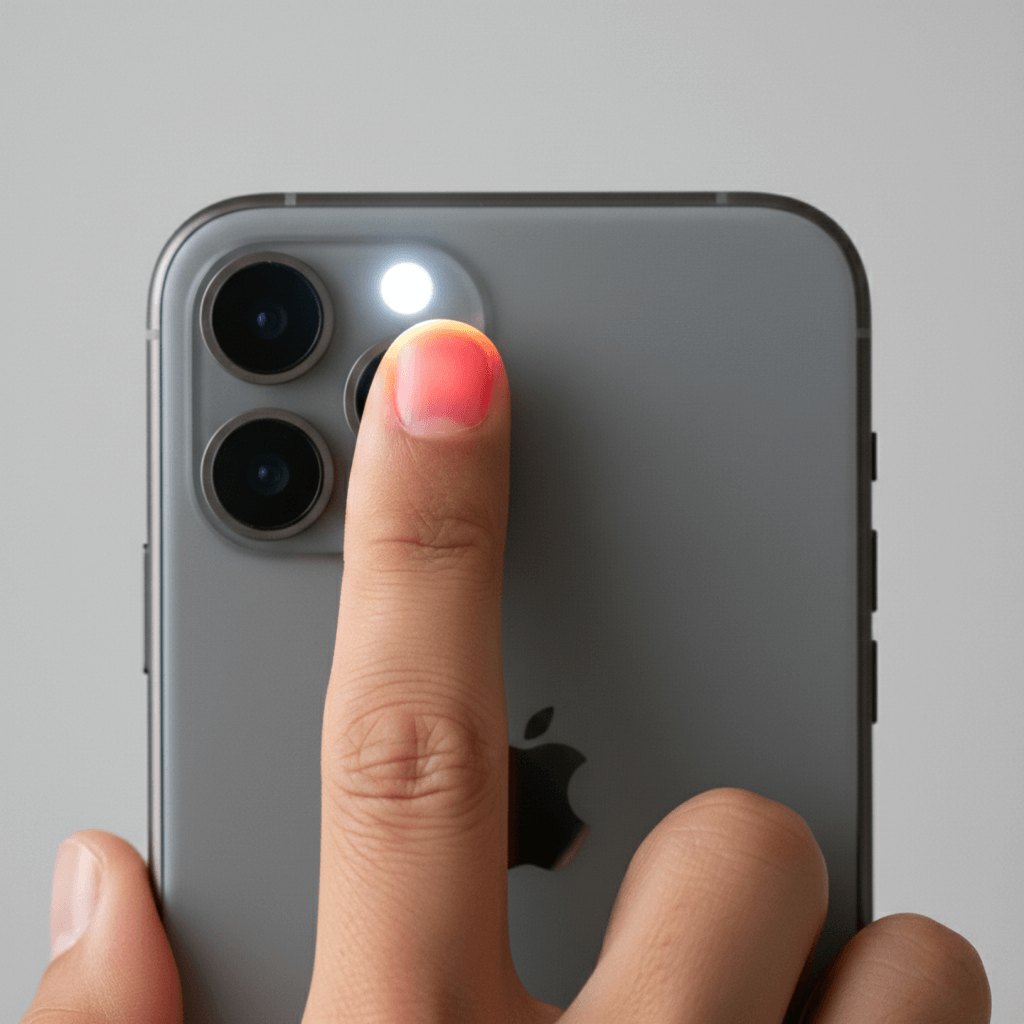
One of Pul AI’s standout features is camera-based pulse measurement using photoplethysmography (PPG) technology-the same principle used in hospital pulse oximeters.
How to Take an Accurate Pulse Reading
For the best results when measuring your heart rate:
- Open Pul AI and tap the heart rate measurement option
- Place your fingertip gently over your iPhone’s rear camera
- Apply light, steady pressure-don’t press too hard
- Keep your finger still during the measurement
- Wait for the countdown to complete
Tips for accurate readings:
- Measure in a well-lit environment
- Ensure your hands are warm (cold fingers can affect accuracy)
- Rest for a few minutes before measuring if you’ve been active
- Avoid measuring immediately after caffeine or meals
- Keep your hand and phone steady throughout
Understanding Your Results
After each measurement, Pul AI displays your heart rate in beats per minute (BPM) along with a classification:
- Low (below 60 BPM): Common in athletes or during rest
- Normal (60-100 BPM): Typical resting heart rate for adults
- Elevated (above 100 BPM): May indicate stress, activity, or other factors
The app also calculates Heart Rate Variability (HRV), which reflects the variation in time between heartbeats-an important indicator of cardiovascular health and stress levels.
Tracking Blood Pressure
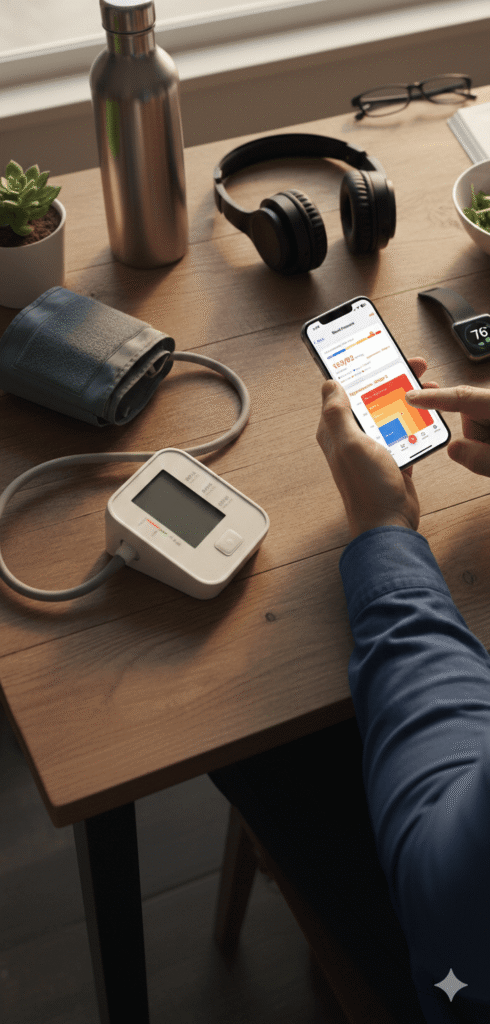
Pul AI allows you to manually log blood pressure readings from your home monitor or healthcare visits, keeping all your vital data in one convenient location.
How to Log Blood Pressure
- Navigate to the blood pressure section
- Enter your systolic (top number) and diastolic (bottom number) readings
- Add the date and time of measurement
- Save your entry
Blood Pressure Categories
Pul AI categorizes your readings based on established guidelines:
- Normal: Below 120/80 mmHg
- Elevated: 120-129 / less than 80 mmHg
- High (Stage 1): 130-139 / 80-89 mmHg
- High (Stage 2): 140+ / 90+ mmHg
Tracking trends over time can help you and your healthcare provider make informed decisions about your cardiovascular health.
Monitoring Blood Oxygen Levels
Blood oxygen saturation (SpO2) indicates how well oxygen is being transported through your body. Pul AI lets you log these readings for comprehensive health tracking.
Logging SpO2 Readings
- Go to the blood oxygen section
- Enter your SpO2 percentage from your pulse oximeter
- Record the timestamp
- Save to your health log
Normal blood oxygen levels typically range from 95-100%. Levels below 95% may warrant attention, especially if you have respiratory conditions.
Tracking Blood Sugar
For those monitoring glucose levels, Pul AI provides an easy way to log and track blood sugar readings over time.
Recording Blood Sugar Measurements
- Open the blood sugar tracking feature
- Enter your glucose reading (mg/dL or mmol/L)
- Note whether the reading was fasting, before meal, or after meal
- Save your entry
Tracking patterns in your blood sugar can help identify how diet, exercise, and lifestyle affect your glucose levels.
Viewing Your Health History
Pul AI stores all your measurements locally on your device, giving you complete control over your health data.
Accessing Historical Data
- Dashboard: View recent measurements at a glance
- Charts: Visualize trends over days, weeks, or months
- History: Browse individual readings with full details
The visual charts make it easy to spot patterns and share progress with healthcare providers during appointments.
Generating Health Reports
Need to share your health data with a doctor? Pul AI can generate comprehensive PDF reports summarizing your measurements over any time period.
Creating a Report
- Navigate to the reports section
- Select the date range you want to include
- Choose which metrics to include
- Generate and export your PDF
These reports provide a clear, professional summary that healthcare providers can quickly review.
Best Practices for Health Monitoring
To get the most value from Pul AI:
Consistency is key: Try to measure at the same time each day for comparable results. Morning measurements before eating or drinking often provide the most consistent baseline.
Track regularly: The more data points you have, the more meaningful your trends become. Even a few measurements per week can reveal valuable patterns.
Note context: If a reading seems unusual, consider factors like recent exercise, stress, caffeine, sleep quality, or illness.
Don’t self-diagnose: Pul AI is a wellness tool for tracking and awareness. Always consult healthcare professionals for medical advice or if you notice concerning patterns.
Privacy and Data Security
Your health data stays on your device. Pul AI is designed with privacy in mind-your measurements are stored locally and never uploaded to external servers without your explicit action.
Subscription Options
Pul AI offers a free tier with basic functionality and premium subscriptions for full access to all features:
- Weekly: $6.49/week
- Yearly: $44.99/year (best value)
Premium unlocks unlimited measurements, detailed analytics, PDF report generation, and all tracking features.
Frequently Asked Questions
How accurate is the camera-based pulse measurement? Pul AI uses the same PPG technology found in medical devices. While not a medical device itself, it provides reliable readings for wellness tracking when used correctly.
Can Pul AI replace my doctor? No. Pul AI is designed for personal health awareness and tracking. It’s not intended to diagnose, treat, or prevent any medical condition. Always consult healthcare professionals for medical advice.
Does the app work offline? Yes. All core features work without an internet connection since data is stored locally on your device.
How do I ensure accurate heart rate readings? Follow the tips in the measurement section: use good lighting, keep your finger steady, apply gentle pressure, and ensure your hands are warm.
Start Your Health Journey Today
Understanding your body’s vital signs is the first step toward better health. With Pul AI, you have a powerful, easy-to-use tool that puts health monitoring in your pocket. Download Pul AI from the App Store and take control of your wellness journey today.
Disclaimer: Pul AI is intended for general wellness purposes only. It is not a medical device and should not be used to diagnose, treat, cure, or prevent any disease or health condition. The measurements and information provided are for informational purposes only. Always consult with a qualified healthcare professional for medical advice and before making any decisions related to your health.